
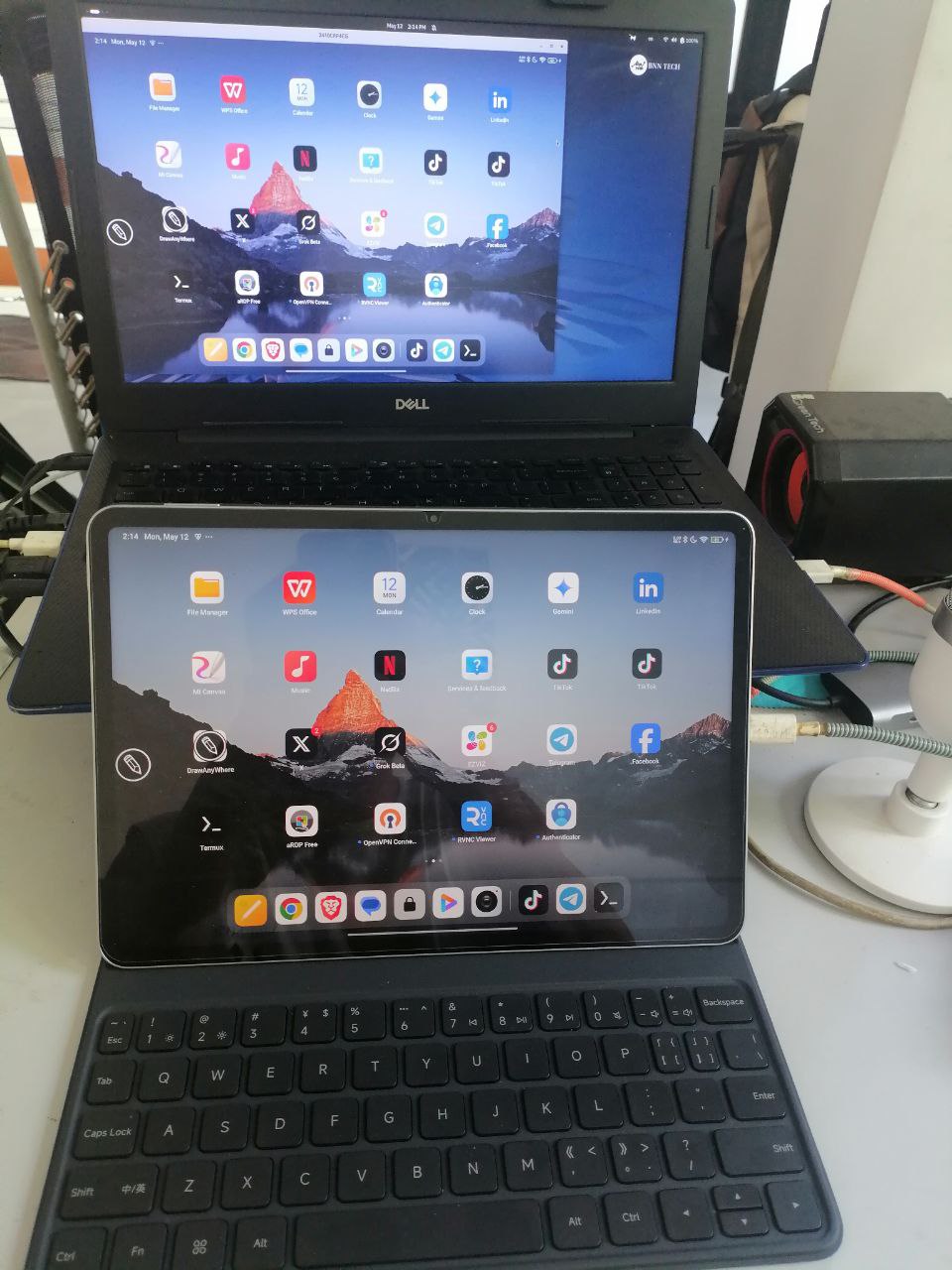
ဒီ post မှာကတော့ ကျနော်တို့ အသုံးပြုနေတဲ့ Android phone တွေရဲ့ Screen ကို Linux computer တွေပေါ်မှာ ဘယ်လို အသုံးပြုလို့ရနိုင်မလဲဆိုတာ ပြောပြပေးသွားမှာပါ၊
လိုအပ်တာတွေက –
၁။ usb cable
၂။ android
၃။ Linux OS ( Ubuntu ,etc … , Fedora ,etc … )
ဒီနေရာ မှာ ၂ ပိုင်းခွဲပြောပေးသွားပါမယ်။
Android အပိုင်း နဲ့ Linux OS အပိုင်းပါ။
Android Side
Android အခြမ်းက ဘာလုပ်ရမလဲဆိုရင် Android နဲ့ Linux Laptop ကို usb cable နဲ့ အရင် ချိတ်ဆက်ပြီး Android ရဲ့ settings ထဲက usb debugging ကို enable လုပ်ထားရပါမယ်။ဒါလေးပါပဲ။
Linux Laptop/Desktop
Linux Laptop အခြမ်းမှာတော့ ကို အသုံးပြုတဲ့ Linux distributions အလိုက် package ကို install လုပ်ရပါမယ်။
Debian base ဆိုရင်
“sudo apt install adb “
” sudo apt update -y && sudo apt install scrcpy -y”
ဒီလိုပါ။
Package install လုပ်ပြီးပြီဆိုရင် – စပြီး အသုံးပြုနိုင်ပါပြီ။
Usage :
Terminal ကို ဖွင့်မယ် Terminal မှာ ဒီ command လေးရိုက်ပါ။
“sudo adb devices”
“sudo scrcpy “
ဒါလေးရိုက်ပြီးတာနဲ့ Linux computer မှာ android phone screen ပေါ်လာပါလိမ့်မယ်။
Resolution change ဖို့ဆိုရင်တော့ ။။
“sudo scrcpy -m 1080”
ဆိုရင် ရပါပြီ။ Thanks for reading …..
Linux ကို Linux အခြေခံ မရှိလည်း သင်လို့ရပါတယ်။ ဒီ အတန်းခွဲတွေက လစဥ်ဖွင့်ပေးထားပါတယ်။Linux basic to Linux system administration အထိသင်ရမှာမို့ ဆက်သွယ်ပြီး အပ်နိုင်ပါတယ်။
Class details
Make a one-time donation
Make a monthly donation
Make a yearly donation
Choose an amount
Or enter a custom amount
Your contribution is appreciated.
Your contribution is appreciated.
Your contribution is appreciated.
DonateDonate monthlyDonate yearly BNN TECH